
Roll It Has No Outline Pass
· 9 min read · #threejs #game-dev
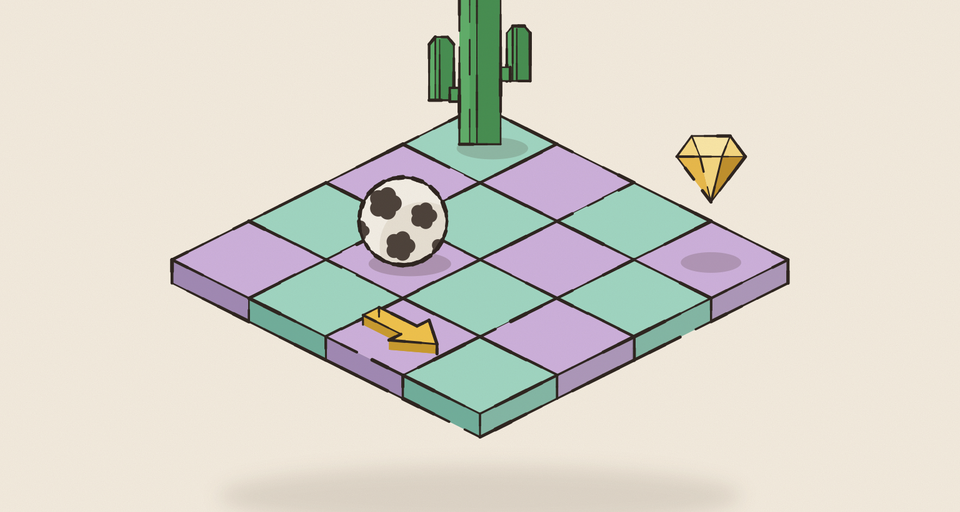
Roll It (opens in a new tab) is a ball-rolling game on floating islands of pastel tiles, and everything in it is drawn in ink: every tile, gate post, cactus, gem and the ball itself. The line is a little shaky, its weight wanders, and it skips here and there the way a pen does over grain.
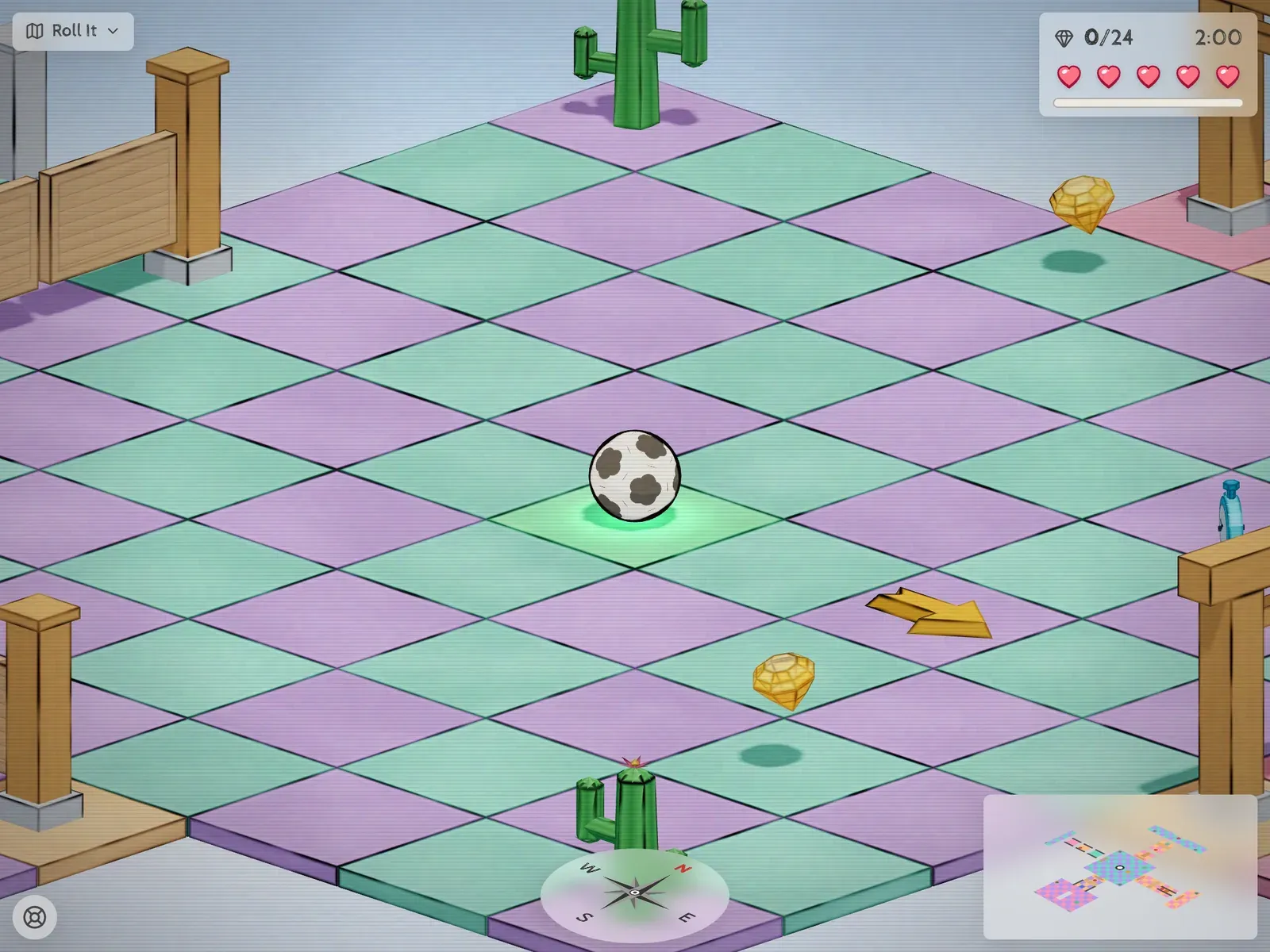
A fair question about a look like this is how the outline pass works. There isn’t one. No edge-detection pass, no second render target, no inverted hull. Every material draws its own ink as it shades, and finds its edges from data it already has.
Why not a pass?
The two usual answers both miss what this board needs.
Edge detection as a post-process renders depth and normals, then runs a Sobel-style filter over them in a full-screen pass. It finds edges where depth or normal jumps. The trouble is that most of Roll It’s lines are between two tiles sitting flush, at the same height, facing the same way. Depth and normal don’t change across that seam, so the filter sees nothing. The line width also ends up in screen pixels rather than in the world, and it’s one more full-screen pass every frame.
The inverted hull draws each mesh a second time, a little bigger, with front faces culled and a flat dark color. It’s great for a character’s silhouette. It only gives you silhouettes, though, not the edges across a face, and a box with hard normals splits open at the corners when you push its vertices out. It also doubles the draws, and the whole board is instanced meshes drawn in two calls.
What I wanted was every edge of every block (flush seams included), a width measured in world units, a hand-drawn wobble, and not a single extra draw call. That points at the fragment shader.
Boxes: the median of three distances
Every block on the board is an instance of the same unit box, BoxGeometry() scaled by its instance matrix. In the box’s local space, every point on its surface has coordinates between -0.5 and 0.5. So for any fragment, 0.5 - abs(local) is its distance to the nearest face on each axis.
One of those three numbers is about zero: the face the fragment is sitting on. One is the distance across to the far side. The one in the middle is the distance to the nearest edge along the face you’re on.
You don’t need to sort three numbers to get the middle one. Add them up and take away the smallest and the largest:
varying vec3 vLocal; // position in the unit box, -0.5..0.5
varying vec3 vScale; // the instance's scale, so distances come out in world units
float edgeDistance() {
vec3 faces = (0.5 - abs(vLocal)) * vScale;
float nearest = min(faces.x, min(faces.y, faces.z));
float farthest = max(faces.x, max(faces.y, faces.z));
return faces.x + faces.y + faces.z - nearest - farthest;
}Ink goes wherever that distance is under the stroke width. No extra attribute, no extra texture, and the box doesn’t even need UVs.
Multiplying by the scale is what keeps a stroke the same weight on a thin floor tile and a tall gate post. Without it, a box stretched four times taller would get lines four times thicker on its sides. The vertex shader pulls the scale out of the matrices, and with instancing that means folding in the instance matrix by hand:
vLocal = position;
vec3 scale = vec3(length(modelMatrix[0].xyz), length(modelMatrix[1].xyz), length(modelMatrix[2].xyz));
#ifdef USE_INSTANCING
scale *= vec3(length(instanceMatrix[0].xyz), length(instanceMatrix[1].xyz), length(instanceMatrix[2].xyz));
#endif
vScale = scale;(With a BatchedMesh it’s the same idea, just with the matrix read from getBatchingMatrix() instead.)
Every tile inks all of its own edges, so at a seam between two tiles each side draws its half of the line, and together they read as one stroke.
Meshes: crease barycentrics
The cacti, the gems and the arrows aren’t boxes, so the median trick has nothing to say about them. For those, the edges are worked out once on the CPU and baked into two extra vertex attributes.
The usual barycentric wireframe trick gives each triangle’s corners (1,0,0), (0,1,0) and (0,0,1). Interpolated across the triangle, the smallest component is how close a fragment is to an edge. On its own that inks every triangle edge, including the diagonal that only exists because a square face got split in two. That diagonal is the giveaway of a wireframe, not a drawing.
So before the attribute is written, every edge gets a vote:
- Find the two triangles that share it (matching vertices by position, since a non-indexed mesh duplicates them).
- If their normals are within 30° of each other, it’s one surface and the edge is hidden. 30° keeps the ribs of a cactus and the folds of a gem, and drops the 0° quad diagonal.
- If only one triangle uses the edge, it’s a rim and it keeps its line.
A hidden edge gets 1 added to its barycentric component at every corner of the triangle, so that component never gets near zero and never wins the min. A second attribute carries the triangle’s three altitudes. Barycentric times altitude is a distance in the mesh’s own units, and times the instance’s scale it’s back in world units, so the same stroke width works on a cactus and a box.
attribute vec3 aBary; // barycentric, +1 on edges that shouldn't be drawn
attribute vec3 aAltitude; // the triangle's altitude opposite each corner
float edgeDistance() {
vec3 along = vBary * vAltitude * vMeanScale;
return min(along.x, min(along.y, along.z));
}It also explains a constraint that shaped how the props look: a perfectly smooth cylinder has no creases, so it would get no line at all. Everything in Roll It is faceted on purpose. A cactus is a tube with five ribs (ten corners, every other one pulled in to a valley), and a gem’s facets are the drawing.
The ball: a silhouette, not edges
The ball has no edges at all, only an outline. That outline is wherever the surface turns away from the camera, so the ball’s pen is measured in “facing-ness” instead of distance: the view-space normal’s z is 1 where the surface points straight at you and 0 exactly on the silhouette.
float facing = abs(normalize(vViewNormal).z);
float rim = 1.0 - smoothstep(uRimWidth - uRimSoft, uRimWidth + uRimSoft, facing);That’s exact here because the game camera is orthographic. Under a perspective camera you’d use the dot product of the normal with the direction to the camera instead. A rim width of 0.34 lands on the outer 5% or so of the radius, which comes out about the weight of a block’s edge.
One detail took a while to notice: the board samples its wobble noise in world space, but the ball samples it in its own local space. The ball moves. Keyed to world space, its outline would boil as it rolled; keyed to local space, the wobble rides along with it.
Making it look drawn
A line of constant width looks like a bevel, not a pen. Most of the hand-drawn feel comes from letting the width wander along the stroke, and then letting the pen skip.
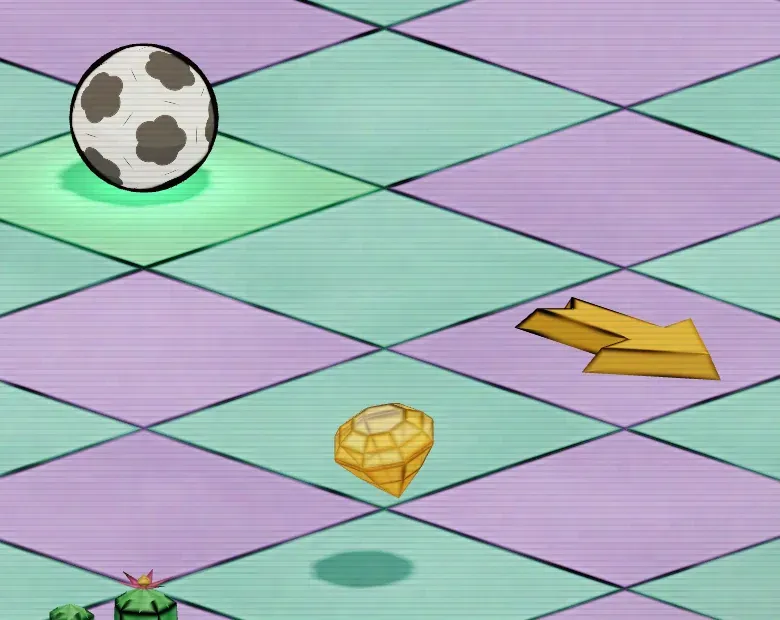
Two octaves of smooth value noise, sampled at the fragment’s world position, do both jobs:
float inkAmount(float edge) {
float coarse = valueNoise(vWorld * uWobbleScale); // about 3 cycles per unit
float fine = valueNoise(vWorld * uGrainScale); // about 7
// the weight wanders along the stroke, at two rates so it breathes instead of pulsing
float wobble = (coarse - 0.5) + (fine - 0.5) * 0.35;
float width = max(uWidth * (1.0 + 2.0 * wobble * uWobble), 0.0);
float stroke = 1.0 - smoothstep(width - uSoft, width + uSoft, edge);
// and it skips, the way a pen does over grain
return stroke * mix(1.0, smoothstep(0.1, 0.8, fine), uGrain);
}The fine sample does double duty, as the second octave of wobble and as the skip mask. Two noise lookups per fragment is the whole budget. The width is 0.01 world units with the same again for antialiasing, the wobble is about 0.4 and the grain about 0.5, all tunable live from a debug panel in the game.
Ink sits on top of the light
The last piece is where the ink goes in the lighting. The materials are three.js standard materials extended with three-custom-shader-material (opens in a new tab), which lets a shader write the albedo before lighting (csm_DiffuseColor) or an unlit color on top of it (csm_FragColor), with csm_UnlitFac mixing between the two.
void main() {
csm_DiffuseColor.rgb *= tileColor; // lit: takes the sun and the shadows
csm_FragColor = vec4(uInkColor, 1.0);
csm_UnlitFac = inkAmount(edgeDistance()); // ink: same weight in sun or shade
}If the ink went into the diffuse color, a line crossing the ball’s shadow would darken and a line in full sun would wash out. A drawn line is ink sitting on top of the picture, so it stays the same weight whatever light it crosses. The ink color is a warm near-black, #140f0f, because pure black over pastels reads as a hole.
What it costs, and what it doesn’t do
The cost is a handful of instructions per fragment and, for meshes, two extra vec3 attributes. No render targets, no extra passes and no extra draw calls; the board still draws in two calls.
The limits are the flip side of measuring edges per object:
- It only knows its own edges. Where one object passes into another, like a post sunk into the tile under it, there’s no line along the intersection, because neither of them has an edge there. On this board that’s rare enough not to matter.
- Smooth shapes need facets. No crease, no line, which is why everything is low-poly.
- The width is in world units. That’s what I wanted with a fixed orthographic camera. Under a camera that zooms a long way, lines would thin out in the distance where a screen-space pass would hold its width.
For a board made entirely of boxes and a few faceted props, those trade-offs were easy. Every outline in the game comes from the material that’s already drawing the surface, which also meant the level editor, sharing the same materials, got the same ink for free.
Get new posts by email
One short email when a post goes out, about once a week. Unsubscribe any time.
 Written by Zubin Khavarian