
Stamp DEV on the Debug Icon
· 4 min read · #ios #swift #app-store #tooling
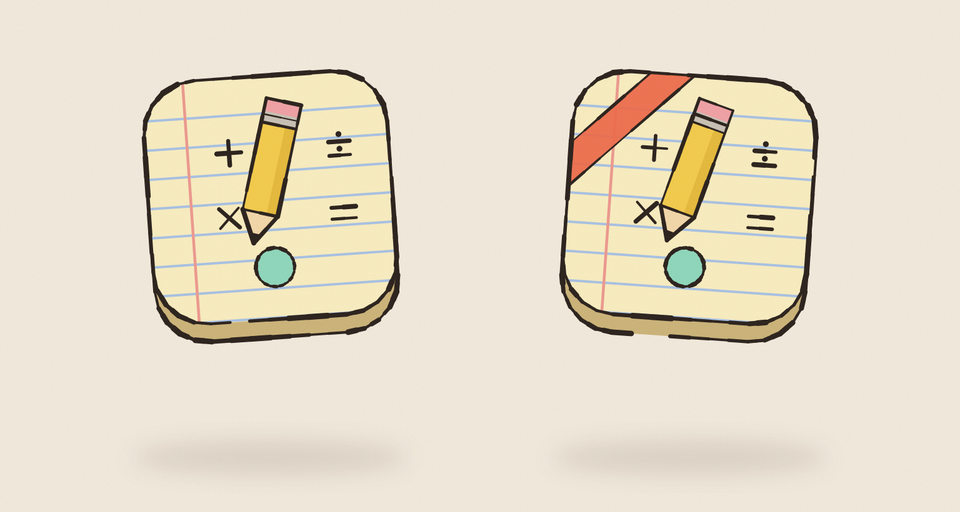
Once one of my apps is on the App Store, I have the store version on my phone like anyone else. I also run Debug builds from Xcode on the same phone all day. If both use the same bundle ID, every Debug run replaces the store app, and they share one sandbox: my half-finished test data lands in the same place as the real progress, and I can never tell at a glance which build I’m tapping.
So in every one of my apps, the Debug build is a different app.
Three build settings
The Debug configuration changes three things, and Release keeps the originals:
Debug Release
PRODUCT_BUNDLE_IDENTIFIER dev.zubin.Mathness.dev dev.zubin.Mathness
INFOPLIST_KEY_CFBundleDisplayName Mathness! Dev Mathness!
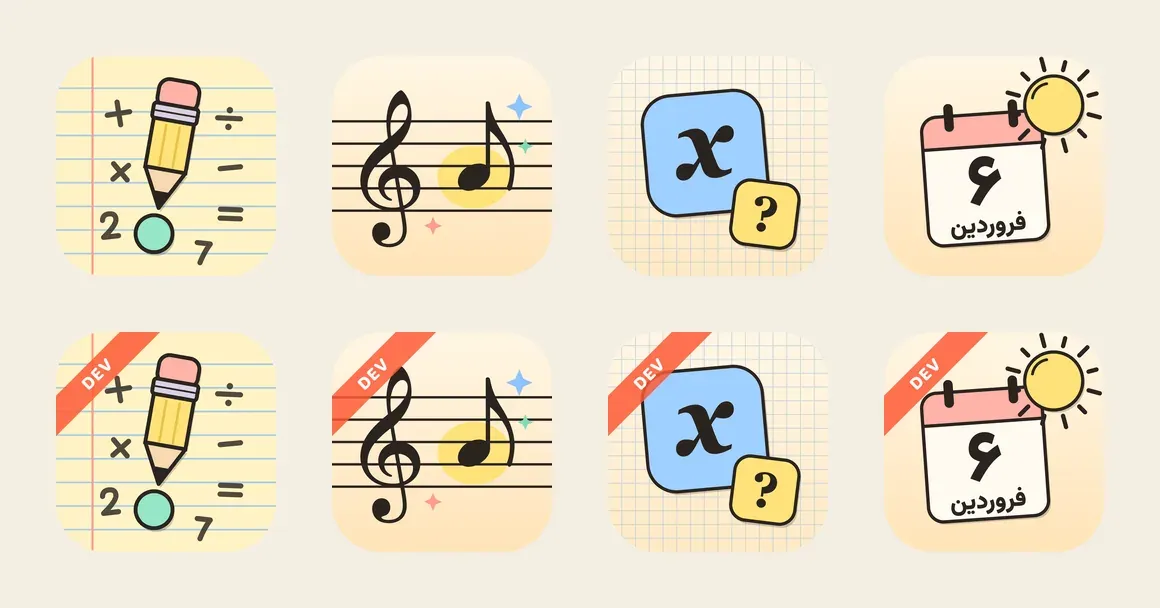
ASSETCATALOG_COMPILER_APPICON_NAME AppIcon-Dev AppIconA different bundle ID is a different app to iOS: it installs beside the store version, with its own sandbox and its own UserDefaults. The name says “Dev” under the icon. And the icon gets a ribbon.
The ribbon is generated
Nobody draws AppIcon-Dev by hand. A small Swift script, shared by all my apps, copies the app’s icon set and draws the ribbon over every image in it. Each app’s icon script runs it right after rendering the real icon, so the two can’t drift apart.
A few details took more than one try:
- It sits in the corner. The first version was a band across the bottom. The corner ribbon covers less of the art, and it stays inside the home screen’s rounded mask.
- It’s see-through. At 85% opacity you can still see what’s underneath, which matters when the icon is the only thing telling apps apart.
- Every variant gets one. iOS icons now come in light, dark and tinted versions. The tinted one is grayscale (iOS supplies the color), so its ribbon is white with black text instead of orange with white.
- Opaque stays opaque. If the source icon has no alpha channel, neither does the stamped one.
Extensions follow the app
For a plain app, those three settings are the whole job. Mahbanou has home screen widgets, an Apple Watch app and watch complications, and each is its own target with its own bundle ID. They all have to follow the app into .dev, or the build fails: an embedded target’s ID has to start with its app’s.
The watch app also names its phone app (WKCompanionAppBundleIdentifier), so that setting gets a Debug value too.
The part that’s easy to miss is the app group. The widgets read the app’s settings from a shared container, and if Debug used the same group as the store app, the two would still share data through it. So the entitlements use a build setting instead of a literal:
<key>com.apple.security.application-groups</key>
<array>
<string>$(MAHBANOU_APP_GROUP)</string>
</array>MAHBANOU_APP_GROUP is group.dev.zubin.Mahbanou.dev in Debug, and the code that opens the container picks the same name under #if DEBUG.
The scripts follow too
Everything that launches the app by ID has to know about .dev. The quick screenshot script and the App Store screenshot script both launch dev.zubin.Mathness.dev.
The store screenshots needed one more step. On iPad the app’s name shows in the status bar, so a capture of “Mathness! Dev” would put the wrong name on the store page. That script builds its own copy of the Debug app with the store’s name and icon, overriding the settings on the command line:
xcodebuild -project Mathness.xcodeproj -scheme Mathness \
-destination 'generic/platform=iOS Simulator' \
-derivedDataPath DerivedData/Store \
"INFOPLIST_KEY_CFBundleDisplayName=Mathness!" \
ASSETCATALOG_COMPILER_APPICON_NAME=AppIcon buildIt keeps the .dev bundle ID, so the capture build never replaces anything, and it builds into its own derived data folder, so it doesn’t fight my everyday Debug build.
What stays the same
Only Debug changes. TestFlight builds are archived with the Release configuration (Xcode’s default), so they keep the real ID, name and icon, and they update the store app the way a real release would. That’s what you want from a beta.
Purchases in Debug come from the local StoreKit configuration file in the scheme, so the different ID doesn’t matter there. The App Store’s sandbox wouldn’t find the real products under a .dev ID, which is one more reason to test real purchases in TestFlight.
Worth copying
- Give Debug its own bundle ID, so it installs beside the store app with its own data.
- Change the name and the icon too. The name is what you read; the ribbon is what you spot.
- Generate the Dev icon from the real one, in the same script, so they never drift.
- Move every extension and app group with it, or the two apps will still share data.
- Grep your scripts for the bundle ID after the change.
Get new posts by email
One short email when a post goes out, about once a week. Unsubscribe any time.
 Written by Zubin Khavarian