
Loudness-Matching Generated Sound Effects
· 4 min read · #audio #game-dev
Roll It (opens in a new tab) is a little browser game where you roll a ball through levels, collecting gems. Most of its sound effects come from ElevenLabs’ text-to-sound model: describe a sound, get back a take.
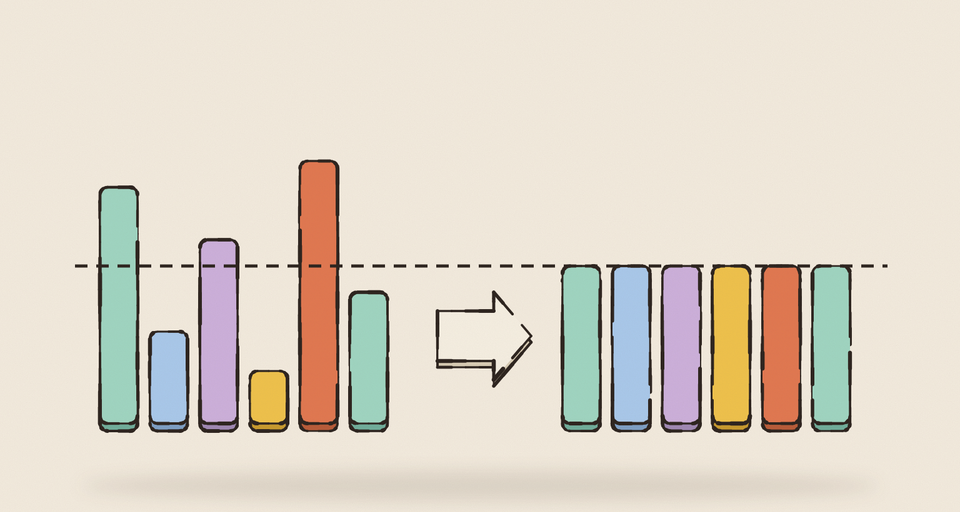
That’s wonderful for a small project, and it comes with a catch nobody warns you about. Every take comes back at a different volume. A jump, a door, a gem pickup: each one is mastered however the model felt like mastering it. Put them in a game as they are and some sounds shout while others you literally can’t hear.
We shipped the gem pickup sound at 38.8 dB below full scale on average, while the other sounds sat around −24. It was there in the game, just easy to miss entirely.
Measure everything
The fix starts with measuring. ffmpeg’s volumedetect filter reports a file’s mean and peak level in one line:
ffmpeg -i gem.ogg -af volumedetect -f null - 2>&1 | grep -E "mean_volume|max_volume"Mean level isn’t a perfect model of how loud something sounds (proper loudness meters weight frequencies the way ears do), but for short one-shot effects in one game it’s a simple, consistent number to line things up against. Here’s every sound file in Roll It today:
The one-shots sit in a narrow band around −24 dB mean, with peaks close to full scale. The louder files are the ones that are meant to be: the win and lose jingles, a mine blast, and the music bed, which is played quietly in code. The gem took a +14.8 dB boost to get from −38.8 to −24. The bump pad before it had shipped at −43 and needed +19.
Master the file, mix in code
The rule that made this manageable is keeping two jobs separate.
Mastering happens to the file. Every one-shot is trimmed, faded and brought to around −24 dB mean before it goes in the repo. That’s the file’s job: to be at a known, consistent level.
Mixing happens in code. Each sound has a play function with its own volume: the jump plays at 0.4, the gem at 0.5, the win fanfare at 0.6, a bump scales from 0.12 to 0.4 with impact speed. On top of that sits the player’s master slider. Those numbers are the balance of the game, and they only mean something if every file underneath them starts at the same level.
The tempting shortcut is to fix a quiet file by turning up its volume in code. Don’t. A file mastered 20 dB too quiet can’t be rescued by a volume of 1.0; the most you can do is play it at full scale, and it’s still too quiet. That’s how the pad sound shipped: its code volume looked perfectly normal, and the file underneath was nearly silent.
Prompt for the object, not the volume
The quiet takes had a common cause. When you ask a text-to-sound model for something “soft”, “dull” or “muffled”, it tends to take you literally, and the takes come back around −50 dB mean.
What works is describing the physical thing: the object, the material, the action, and “clear, punchy, close to the microphone”. You get a take at a usable level with a clear shape, and then you choose how loud it plays.
The prompt notes for the soft-ball sounds say it best: the ball is a soft ball (a basketball, a football, never a marble), so its sounds are rubbery thumps with a hollow ring, not clicks.
Small tricks that helped
- Pitch a take for its partner. The landing sound isn’t a separate generation. It’s the jump take pitched down 12%, played at the same gain, so take-off and landing sound like the same ball.
- Check a loop’s color, not just its level. The first rolling loop sounded like marbles. Its spectral centroid (roughly, where its energy sits in frequency) was near 1.9 kHz; the replacement sits near 480 Hz and sounds like a rubber ball on wood. ffmpeg’s
aspectralstatsfilter will tell you. - Check a loop’s ends. The same old loop faded to silence for its last half second, so it pulsed every time it wrapped. A loop’s head and tail should sit at the same level.
- Fade one-shots, not loops. Every one-shot gets a 40 ms fade-out, which removes the hard cut that iOS Safari otherwise exposes at the end of a raw MP3. A loop gets no fade, because a fade would click at the seam.
- Preload. Every sound is decoded during the boot screen, so the first gem you collect isn’t the moment the file loads.
The routine
For every new sound:
- Prompt for the object and the action, clear and close up, no music, no voices.
- Generate a few takes and measure each one. Pick by shape as well as level.
- Trim, fade, and bring it to around −24 dB mean.
- Measure again, and only then wire it up.
- Set its volume in code, by ear, against the others.
None of this is sophisticated. It’s just the difference between a game where every sound seems to belong and one where you’re not sure the gem pickup has a sound at all.
Get new posts by email
One short email when a post goes out, about once a week. Unsubscribe any time.
 Written by Zubin Khavarian